Skip to the collection
Skip to references

Public vault · every note in the open

Steal this vault

201 entries, 447 steal-notes — 281 by hand, 166 model drafts. 201 results have public source URLs. Source and classification review are recorded separately on each reference.

Refine: kind, font, color, order
e.g. #e4572e
Jump to results

Task-focused interfaces with neutral surfaces, explicit labels, grouped controls, persistent context and restrained state colors. Use for configuration, booking, analytics and export flows; judge the interface rather than the content shown inside it. Read it as a style sheet →

21 references in Functional Product UIClear search & filters

Stripe — Checkout preview with options

Functional Product UI · product UI flow

Source: pending · Classification: pending
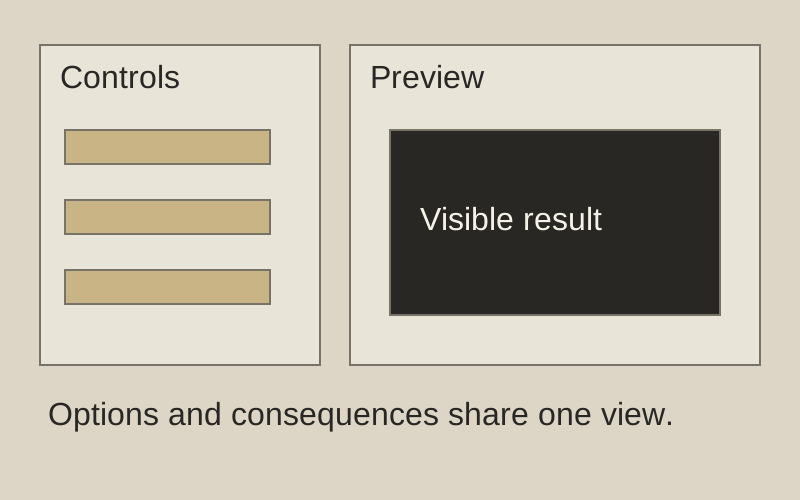
Change a control. See the consequence.

Original principle diagram · Draft explanation

Change a control. See the consequence.

What to borrow: Keep configuration beside its live preview.

When to use this principle
When it works
Options whose effect can be shown immediately.
When to avoid it
Complex changes that need validation before a preview is accurate.

Original principle diagram — a model-drafted explanation, not a reconstruction of the source. Trova · AI-assisted illustration. Original Trova diagram.

  • Steal · grid/layoutmodel draft

    A narrow column of toggles grouped under headers (payment setup, customer details, advanced options) beside a browser-framed live checkout page.

Fonts: system-ui · Original: Stripe

private-reference-only

View original ↗
Source & usage rights

Original: Stripe. Source verification: pending review.

Recorded rights label: private-reference-only. Original work and reproduction rights belong to their owners. A note license does not grant rights to copy a screenshot, trademark or design.

Trova notes: apply the principles in your own work, including commercial projects. Bulk republication or resale is not permitted. Usage terms.

Captured: 2026-10-10. Capture does not establish source verification.
Stripe — integration chooser

Functional Product UI · product UI flow

Source: pending · Classification: pending

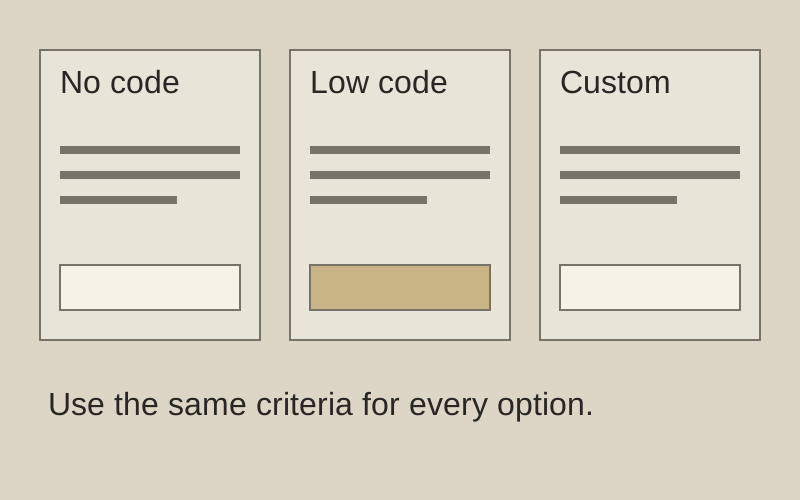
Choose effort before implementation.

Original principle diagram · Draft explanation

Choose effort before implementation.

What to borrow: Compare integration paths on the same few criteria.

When to use this principle
When it works
A small number of genuinely distinct setup paths.
When to avoid it
Near-identical options or decisions with undisclosed tradeoffs.

Original principle diagram — a model-drafted explanation, not a reconstruction of the source. Trova · AI-assisted illustration. Original Trova diagram.

  • Steal · component patternmodel draft

    Two cards, each a picture, a tag (No code · Low code / More code), a name and two bullets; the selected card has a violet ring, and there is one 'View demo' button for both.

Fonts: system-ui · Original: Stripe

private-reference-only

View original ↗
Source & usage rights

Original: Stripe. Source verification: pending review.

Recorded rights label: private-reference-only. Original work and reproduction rights belong to their owners. A note license does not grant rights to copy a screenshot, trademark or design.

Trova notes: apply the principles in your own work, including commercial projects. Bulk republication or resale is not permitted. Usage terms.

Captured: 2026-10-10. Capture does not establish source verification.
Cal.com — booking details form

Functional Product UI · product UI flow

Source: pending · Classification: pending

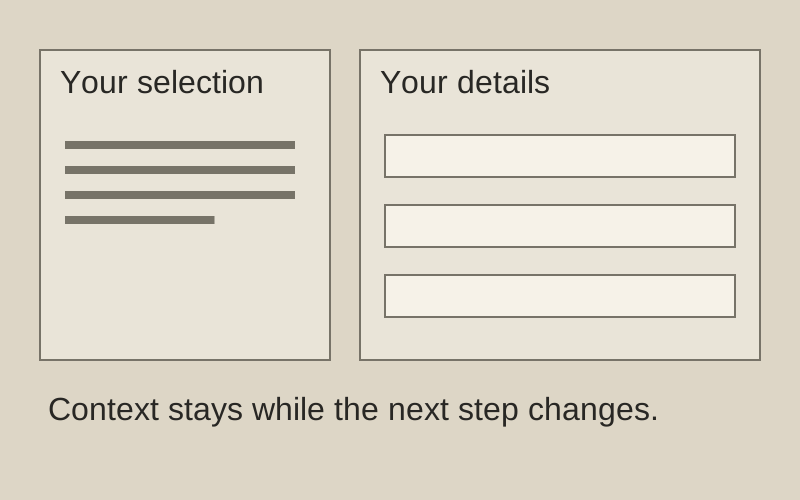
Keep the decision in view.

Original principle diagram · Draft explanation

Keep the decision in view.

What to borrow: Keep the selected appointment visible while collecting details.

When to use this principle
When it works
Booking flows where date, duration, and person must stay clear.
When to avoid it
Sensitive details on shared screens; summaries that crowd out fields.

Original principle diagram — a model-drafted explanation, not a reconstruction of the source. Trova · AI-assisted illustration. Original Trova diagram.

  • Steal · grid/layoutmodel draft

    The left column keeps the meeting's facts and adds the chosen slot (Tuesday, 13 October, 10:30–10:45). The right column swaps the calendar for the form, so the commitment stays in view while you fill it in.

Fonts: Inter · Original: Cal.com

private-reference-only

View original ↗
Source & usage rights

Original: Cal.com. Source verification: pending review.

Recorded rights label: private-reference-only. Original work and reproduction rights belong to their owners. A note license does not grant rights to copy a screenshot, trademark or design.

Trova notes: apply the principles in your own work, including commercial projects. Bulk republication or resale is not permitted. Usage terms.

Captured: 2026-10-10. Capture does not establish source verification.
Cal.com — pick a date and time

Functional Product UI · product UI flow

Source: pending · Classification: pending

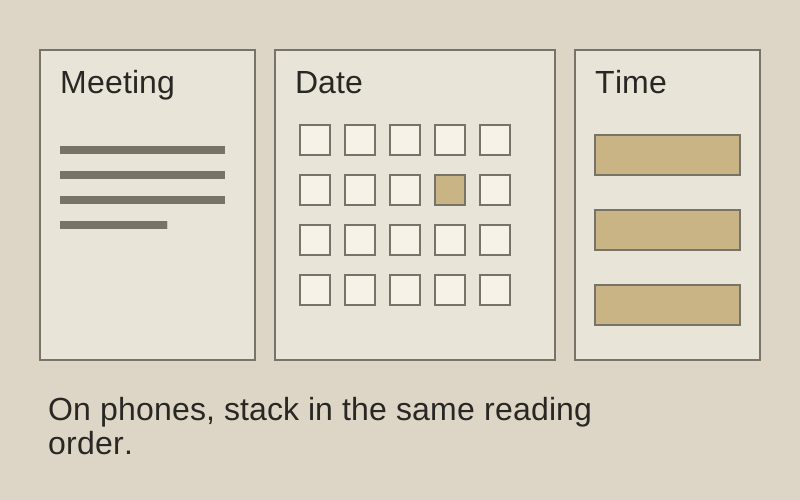
Context, calendar, then time.

Original principle diagram · Draft explanation

Context, calendar, then time.

What to borrow: Separate meeting context, date choice, and available times.

When to use this principle
When it works
Scheduling with a manageable set of available slots.
When to avoid it
Three squeezed columns on a phone; stack these regions instead.

Original principle diagram — a model-drafted explanation, not a reconstruction of the source. Trova · AI-assisted illustration. Original Trova diagram.

  • Steal · grid/layoutmodel draft

    Three columns in one card: who and what (host, meeting name, length, location, time zone), the month grid, then the chosen day's slots. Date and time are one decision, not two pages.

Fonts: Inter · Original: Cal.com

private-reference-only

View original ↗
Source & usage rights

Original: Cal.com. Source verification: pending review.

Recorded rights label: private-reference-only. Original work and reproduction rights belong to their owners. A note license does not grant rights to copy a screenshot, trademark or design.

Trova notes: apply the principles in your own work, including commercial projects. Bulk republication or resale is not permitted. Usage terms.

Captured: 2026-10-10. Capture does not establish source verification.
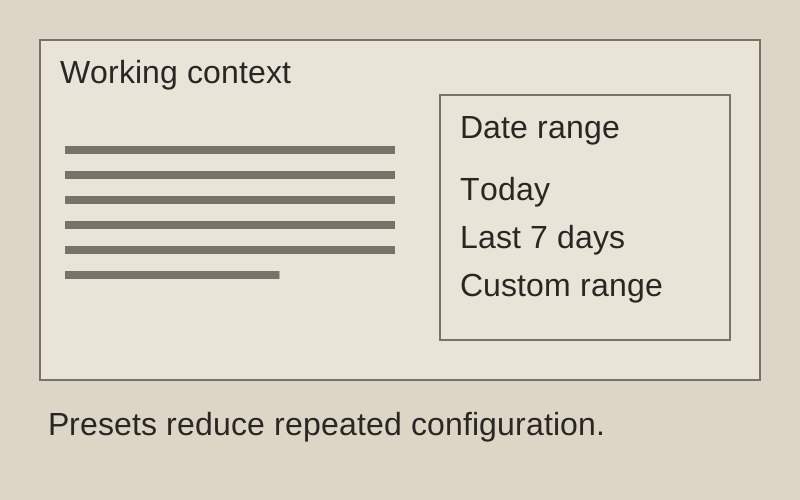
Plausible — period picker

Functional Product UI · product UI flow

Source: pending · Classification: pending

Common ranges first. Custom last.

Original principle diagram · Draft explanation

Common ranges first. Custom last.

What to borrow: Put common date ranges before a custom-range editor.

When to use this principle
When it works
Repeated reporting tasks with predictable time windows.
When to avoid it
Hiding the active range or letting a menu cover its own trigger.

Original principle diagram — a model-drafted explanation, not a reconstruction of the source. Trova · AI-assisted illustration. Original Trova diagram.

  • Steal · component patternEvidence rejected — see findingsmodel draft

    The period menu lists named ranges (Today, Last 7 days, Month to date, Last 12 months, All time) with a single-letter shortcut on each row, and custom range last.

Fonts: system-ui · Original: Plausible Analytics

private-reference-only

View original ↗
Source & usage rights

Original: Plausible Analytics. Source verification: pending review.

Recorded rights label: private-reference-only. Original work and reproduction rights belong to their owners. A note license does not grant rights to copy a screenshot, trademark or design.

Trova notes: apply the principles in your own work, including commercial projects. Bulk republication or resale is not permitted. Usage terms.

Captured: 2026-10-10. Capture does not establish source verification.
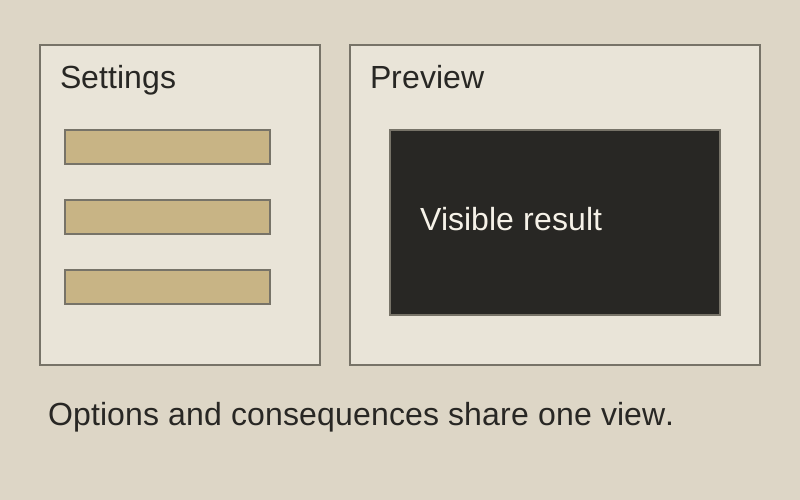
Excalidraw — export image dialog

Functional Product UI · product UI flow

Source: pending · Classification: pending

Preview beside export choices.

Original principle diagram · Draft explanation

Preview beside export choices.

What to borrow: Show export settings and a preview in the same decision space.

When to use this principle
When it works
A small set of visual output options.
When to avoid it
Presenting an inaccurate preview as a guarantee of the final file.

Original principle diagram — a model-drafted explanation, not a reconstruction of the source. Trova · AI-assisted illustration. Original Trova diagram.

  • Steal · component patternmodel draft

    Export is one modal: a checkerboard preview of the exact output on the left, three toggles on the right (background, dark mode, embed scene), then three destinations (PNG, SVG, clipboard) as equal buttons.

Fonts: Assistant · Original: Excalidraw

private-reference-only

View original ↗
Source & usage rights

Original: Excalidraw. Source verification: pending review.

Recorded rights label: private-reference-only. Original work and reproduction rights belong to their owners. A note license does not grant rights to copy a screenshot, trademark or design.

Trova notes: apply the principles in your own work, including commercial projects. Bulk republication or resale is not permitted. Usage terms.

Captured: 2026-10-10. Capture does not establish source verification.
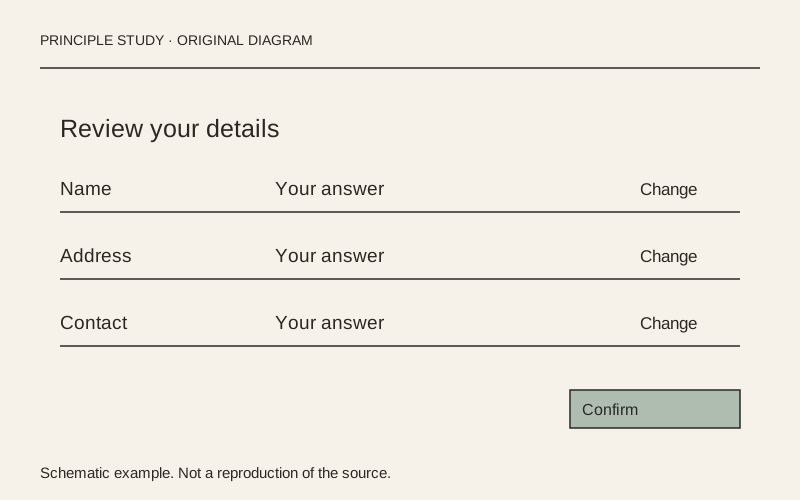
GOV.UK — check answers before submitting

Functional Product UI · product UI flow

Source: pending · Classification: pending

Review the answer beside its correction.

Original principle diagram · Draft explanation

Review the answer beside its correction.

What to borrow: Align each answer with a nearby change action, grouped into meaningful sections.

When to use this principle
When it works
Long forms where people need to check several answers before a final submission.
When to avoid it
Short, reversible tasks where another review screen adds unnecessary work.

Original teaching diagram with illustrative content; not a screenshot or reconstruction of the source. Trova · AI-assisted illustration. Original Trova diagram.

  • Steal · grid/layoutmodel draft

    The example groups personal and application details into separate summary lists. Each row places a label, its answer and a Change link on the same line; use this alignment to make corrections local to the answer.

Fonts: GDS Transport · Original: GOV.UK Design System

private-reference-only

View original ↗
Source & usage rights

Original: GOV.UK Design System. Source verification: pending review.

Recorded rights label: private-reference-only. Original work and reproduction rights belong to their owners. A note license does not grant rights to copy a screenshot, trademark or design.

Trova notes: apply the principles in your own work, including commercial projects. Bulk republication or resale is not permitted. Usage terms.

Captured: 2026-10-10. Capture does not establish source verification.
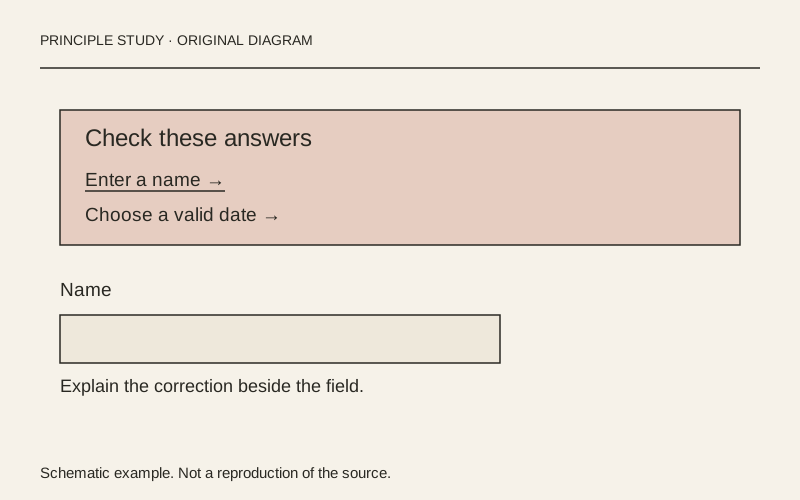
GOV.UK — error summary with recovery links

Functional Product UI · product UI flow

Source: pending · Classification: pending

Turn an error list into a recovery route.

Original principle diagram · Draft explanation

Turn an error list into a recovery route.

What to borrow: Put a concise error summary before the form and identify each correction with a link.

When to use this principle
When it works
Forms with multiple fields whose errors may be outside the current viewport.
When to avoid it
A generic alert that replaces field-level explanations or uses color as its only signal.

Original teaching diagram with illustrative content; not a screenshot or reconstruction of the source. Trova · AI-assisted illustration. Original Trova diagram.

  • Steal · component patternmodel draft

    The example separates a problem heading from two underlined error links inside one prominent boundary. Make the list an index of corrections, not just a notice that submission failed.

Fonts: GDS Transport · Original: GOV.UK Design System

private-reference-only

View original ↗
Source & usage rights

Original: GOV.UK Design System. Source verification: pending review.

Recorded rights label: private-reference-only. Original work and reproduction rights belong to their owners. A note license does not grant rights to copy a screenshot, trademark or design.

Trova notes: apply the principles in your own work, including commercial projects. Bulk republication or resale is not permitted. Usage terms.

Captured: 2026-10-10. Capture does not establish source verification.
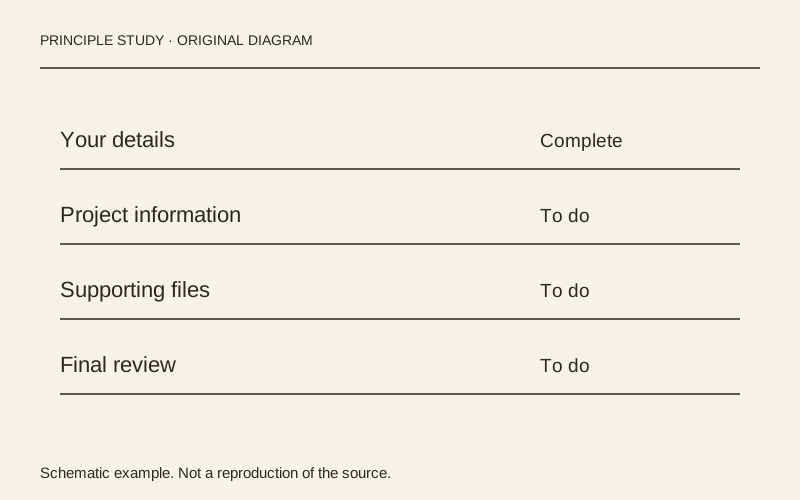
GOV.UK — task list with explicit completion states

Functional Product UI · product UI flow

Source: pending · Classification: pending

Keep every task beside its status.

Original principle diagram · Draft explanation

Keep every task beside its status.

What to borrow: Align task links and readable status labels in a single list; place hints below their task.

When to use this principle
When it works
Applications and onboarding processes with several independently understandable tasks.
When to avoid it
Presenting blocked tasks as immediately actionable or relying on badge color alone.

Original teaching diagram with illustrative content; not a screenshot or reconstruction of the source. Trova · AI-assisted illustration. Original Trova diagram.

  • Steal · grid/layoutmodel draft

    The example uses ruled rows with the task link at the left and completion status at the right. Repeated alignment makes unfinished work easy to scan without a separate progress dashboard.

Fonts: GDS Transport · Original: GOV.UK Design System

private-reference-only

View original ↗
Source & usage rights

Original: GOV.UK Design System. Source verification: pending review.

Recorded rights label: private-reference-only. Original work and reproduction rights belong to their owners. A note license does not grant rights to copy a screenshot, trademark or design.

Trova notes: apply the principles in your own work, including commercial projects. Bulk republication or resale is not permitted. Usage terms.

Captured: 2026-10-10. Capture does not establish source verification.
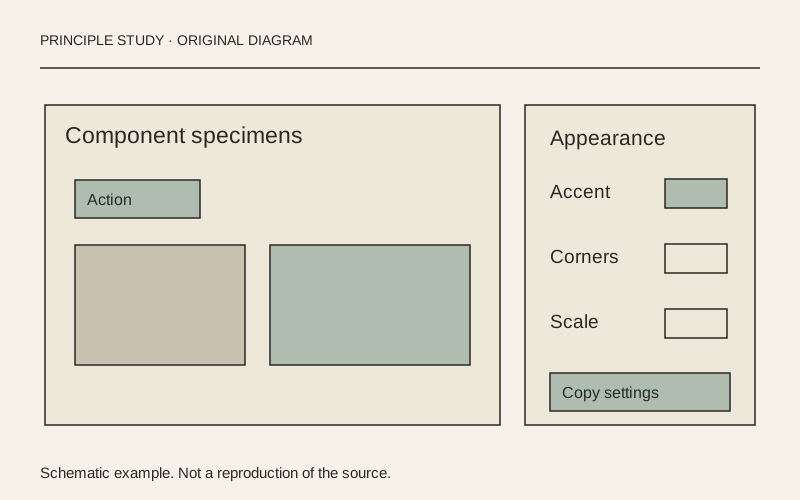
Radix Themes — controls beside component specimens

Functional Product UI · product UI flow

Source: pending · Classification: pending

Keep settings beside representative examples.

Original principle diagram · Draft explanation

Keep settings beside representative examples.

What to borrow: Pair a compact settings panel with several specimens that expose the consequences of a design choice.

When to use this principle
When it works
Theme editors, configuration tools and component libraries with meaningful visual alternatives.
When to avoid it
Showing only a decorative swatch when a setting affects text, focus or control readability.

Original teaching diagram with illustrative content; not a screenshot or reconstruction of the source. Trova · AI-assisted illustration. Original Trova diagram.

  • Steal · grid/layoutmodel draft

    The captured playground gives component specimens the broad left region and theme settings a narrow right panel. This separates the object being evaluated from the controls used to configure it.

Fonts: untitledSans, -apple-system · Original: Radix / WorkOS

private-reference-only

View original ↗
Source & usage rights

Original: Radix / WorkOS. Source verification: pending review.

Recorded rights label: private-reference-only. Original work and reproduction rights belong to their owners. A note license does not grant rights to copy a screenshot, trademark or design.

Trova notes: apply the principles in your own work, including commercial projects. Bulk republication or resale is not permitted. Usage terms.

Captured: 2026-10-10. Capture does not establish source verification.
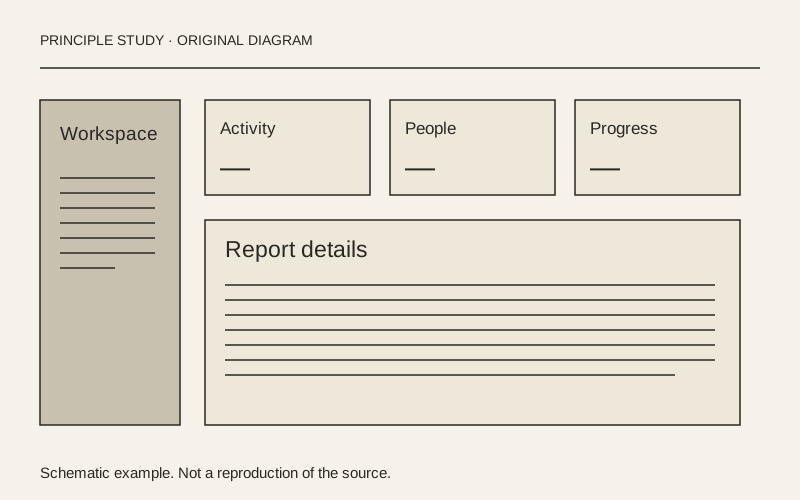
shadcn/ui — dashboard navigation and reporting regions

Functional Product UI · product UI flow

Source: pending · Classification: pending

Separate navigation, summary and investigation.

Original principle diagram · Draft explanation

Separate navigation, summary and investigation.

What to borrow: Keep persistent navigation outside the reporting area, with summary metrics above a larger chart.

When to use this principle
When it works
Operational dashboards where people alternate between a quick overview and a more detailed report.
When to avoid it
Filling the first screen with metrics that have no relationship to the user's next decision.

Original teaching diagram with illustrative content; not a screenshot or reconstruction of the source. Trova · AI-assisted illustration. Original Trova diagram.

  • Steal · grid/layoutmodel draft

    Inside the dashboard example, a narrow navigation column sits beside a broad report region. Four summary cards share a row, while a larger visitor chart spans the area beneath them.

Fonts: Geist · Original: shadcn/ui

private-reference-only

View original ↗
Source & usage rights

Original: shadcn/ui. Source verification: pending review.

Recorded rights label: private-reference-only. Original work and reproduction rights belong to their owners. A note license does not grant rights to copy a screenshot, trademark or design.

Trova notes: apply the principles in your own work, including commercial projects. Bulk republication or resale is not permitted. Usage terms.

Captured: 2026-10-10. Capture does not establish source verification.
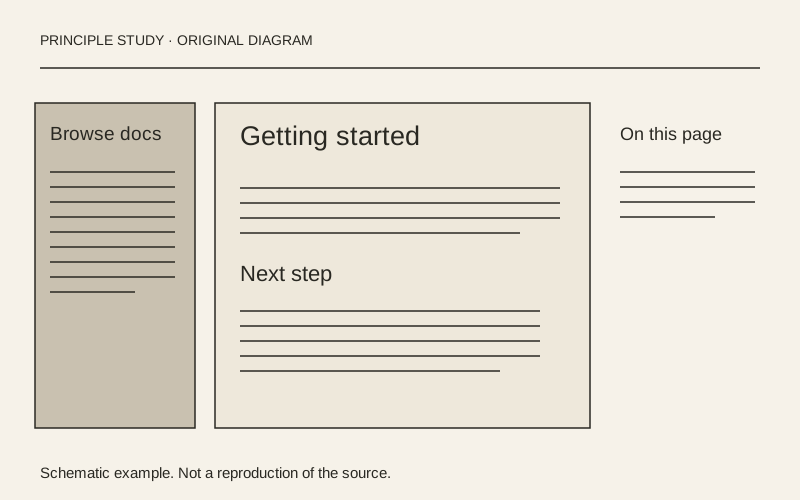
Resend — documentation with three levels of navigation

Functional Product UI · editorial

Source: pending · Classification: pending

Give each navigation level its own place.

Original principle diagram · Draft explanation

Give each navigation level its own place.

What to borrow: Separate global sections, document navigation and the current page's contents around a readable main column.

When to use this principle
When it works
Documentation with a large hierarchy and articles that contain several sections.
When to avoid it
Squeezing three columns onto a phone or adding a contents list to a very short page.

Original teaching diagram with illustrative content; not a screenshot or reconstruction of the source. Trova · AI-assisted illustration. Original Trova diagram.

  • Steal · grid/layoutmodel draft

    The captured page has global documentation sections across the top, grouped document links on the left, the article in the center and an On this page list on the right. Each region answers a different navigation question.

Fonts: Inter · Original: Resend

private-reference-only

View original ↗
Source & usage rights

Original: Resend. Source verification: pending review.

Recorded rights label: private-reference-only. Original work and reproduction rights belong to their owners. A note license does not grant rights to copy a screenshot, trademark or design.

Trova notes: apply the principles in your own work, including commercial projects. Bulk republication or resale is not permitted. Usage terms.

Captured: 2026-10-10. Capture does not establish source verification.

Linear — Triage Inbox & Split Inspector

Linear — Triage Inbox & Split Inspector

Functional Product UI · product UI flow · via Mobbin

Source: pending · Classification: pending

  • Steal · grid/layoutNotes by Will

    Two-pane master-detail split (320px queue list on the left, fluid issue document on the right) separated by a 1px solid rgba(255,255,255,0.07) hairline with zero outer card margins.

Fonts: Inter, Berkeley Mono · Original: Linear

private-reference-only

View original ↗
Source & usage rights

Original: Linear. Source verification: pending review.

Recorded rights label: private-reference-only. Original work and reproduction rights belong to their owners. A note license does not grant rights to copy a screenshot, trademark or design.

Trova notes: apply the principles in your own work, including commercial projects. Bulk republication or resale is not permitted. Usage terms.

Captured: 2026-06-28. Capture does not establish source verification.

Linear — Command Menu (⌘K) Filtered State

Linear — Command Menu (⌘K) Filtered State

Functional Product UI · product UI flow · via Mobbin

Source: pending · Classification: pending

  • Steal · component patternNotes by Will

    640px centered command palette anchored 18vh from the top viewport edge so result rows expand downward without shifting the input field's vertical coordinates.

Fonts: Inter, Berkeley Mono · Original: Linear

private-reference-only

View original ↗
Source & usage rights

Original: Linear. Source verification: pending review.

Recorded rights label: private-reference-only. Original work and reproduction rights belong to their owners. A note license does not grant rights to copy a screenshot, trademark or design.

Trova notes: apply the principles in your own work, including commercial projects. Bulk republication or resale is not permitted. Usage terms.

Captured: 2026-06-28. Capture does not establish source verification.

Linear — Sub-menu Assignee & Cycle Picker

Linear — Sub-menu Assignee & Cycle Picker

Functional Product UI · product UI flow · via Mobbin

Source: pending · Classification: pending

  • Steal · component patternNotes by Will

    Selecting an action morphs the command palette in place: the parent issue ID collapses into a 12px breadcrumb chip above the input while the list swaps to cycle capacity bars.

Fonts: Inter, Berkeley Mono · Original: Linear

private-reference-only

View original ↗
Source & usage rights

Original: Linear. Source verification: pending review.

Recorded rights label: private-reference-only. Original work and reproduction rights belong to their owners. A note license does not grant rights to copy a screenshot, trademark or design.

Trova notes: apply the principles in your own work, including commercial projects. Bulk republication or resale is not permitted. Usage terms.

Captured: 2026-06-28. Capture does not establish source verification.

Raycast — Root Launcher & Calculator Bar

Raycast — Root Launcher & Calculator Bar

Functional Product UI · product UI flow · via Refero

Source: pending · Classification: pending

  • Steal · component patternNotes by Will

    Inline answer card splits 50/50 horizontally between the raw expression ('140 USD in JPY') and the resolved value ('¥21,490'), with a one-key copy action pinned in the footer bar.

Fonts: Inter, JetBrains Mono · Original: Raycast

private-reference-only

View original ↗
Source & usage rights

Original: Raycast. Source verification: pending review.

Recorded rights label: private-reference-only. Original work and reproduction rights belong to their owners. A note license does not grant rights to copy a screenshot, trademark or design.

Trova notes: apply the principles in your own work, including commercial projects. Bulk republication or resale is not permitted. Usage terms.

Captured: 2026-06-27. Capture does not establish source verification.

Raycast — Parameterized Quicklink Inline Slots

Raycast — Parameterized Quicklink Inline Slots

Functional Product UI · product UI flow · via Refero

Source: pending · Classification: pending

  • Steal · component patternNotes by Will

    Instead of opening a multi-field modal, query parameters render as inline pill slots inside the search input itself; pressing Tab jumps between {repo} and {query} tokens in a single line.

Fonts: Inter, JetBrains Mono · Original: Raycast

private-reference-only

View original ↗
Source & usage rights

Original: Raycast. Source verification: pending review.

Recorded rights label: private-reference-only. Original work and reproduction rights belong to their owners. A note license does not grant rights to copy a screenshot, trademark or design.

Trova notes: apply the principles in your own work, including commercial projects. Bulk republication or resale is not permitted. Usage terms.

Captured: 2026-06-27. Capture does not establish source verification.

Raycast — Split Preview & Metadata Table

Raycast — Split Preview & Metadata Table

Functional Product UI · product UI flow · via Refero

Source: pending · Classification: pending

  • Steal · grid/layoutNotes by Will

    35/65 split view: a compact 260px item list on the left drives a rich right-hand pane split vertically into a rendered Markdown preview (top 60%) and a key-value metadata table (bottom 40%).

Fonts: Inter, JetBrains Mono · Original: Raycast

private-reference-only

View original ↗
Source & usage rights

Original: Raycast. Source verification: pending review.

Recorded rights label: private-reference-only. Original work and reproduction rights belong to their owners. A note license does not grant rights to copy a screenshot, trademark or design.

Trova notes: apply the principles in your own work, including commercial projects. Bulk republication or resale is not permitted. Usage terms.

Captured: 2026-06-27. Capture does not establish source verification.

Vercel — Deployment Build Logs & Check Summary

Vercel — Deployment Build Logs & Check Summary

Functional Product UI · product UI flow · via Mobbin

Source: pending · Classification: pending

  • Steal · component patternNotes by Will

    Build phases (Running Build, Generating Static Pages, Finalizing) collapse into 40px accordion rows with right-aligned duration counters ('14.2s'), auto-expanding only the step that emitted a warning or error.

Fonts: Geist, Geist Mono · Original: Vercel

private-reference-only

View original ↗
Source & usage rights

Original: Vercel. Source verification: pending review.

Recorded rights label: private-reference-only. Original work and reproduction rights belong to their owners. A note license does not grant rights to copy a screenshot, trademark or design.

Trova notes: apply the principles in your own work, including commercial projects. Bulk republication or resale is not permitted. Usage terms.

Captured: 2026-06-26. Capture does not establish source verification.

Vercel — Preview Toolbar & Visual Comment Pin

Vercel — Preview Toolbar & Visual Comment Pin

Functional Product UI · product UI flow · via Mobbin

Source: pending · Classification: pending

  • Steal · component patternNotes by Will

    Floating 40px pill toolbar docks at bottom-center over any preview URL; clicking 'Comment' turns the cursor into a crosshair that binds a thread directly to the target DOM node's CSS selector.

Fonts: Geist, Geist Mono · Original: Vercel

private-reference-only

View original ↗
Source & usage rights

Original: Vercel. Source verification: pending review.

Recorded rights label: private-reference-only. Original work and reproduction rights belong to their owners. A note license does not grant rights to copy a screenshot, trademark or design.

Trova notes: apply the principles in your own work, including commercial projects. Bulk republication or resale is not permitted. Usage terms.

Captured: 2026-06-26. Capture does not establish source verification.

Vercel — Production Promote & Instant Rollback Dialog

Vercel — Production Promote & Instant Rollback Dialog

Functional Product UI · product UI flow · via Mobbin

Source: pending · Classification: pending

  • Steal · component patternNotes by Will

    High-consequence confirmation modal replaces generic 'Are you sure?' text with a side-by-side comparison card of Current Production vs Target Rollback (commit SHA, age, author, and route count).

Fonts: Geist, Geist Mono · Original: Vercel

private-reference-only

View original ↗
Source & usage rights

Original: Vercel. Source verification: pending review.

Recorded rights label: private-reference-only. Original work and reproduction rights belong to their owners. A note license does not grant rights to copy a screenshot, trademark or design.

Trova notes: apply the principles in your own work, including commercial projects. Bulk republication or resale is not permitted. Usage terms.

Captured: 2026-06-26. Capture does not establish source verification.

Read the editorial record

Provenance & takedown

Publicly sourced references link to an original; private or concept examples are labelled separately. All referenced work belongs to its creators. What this vault adds — and what it is for — is the commentary: the steal-notes are the content, not the pixels. Notes are written by hand unless their card says otherwise; a model draft is always labelled. Study use only.

Made something shown here and want it removed? Email hello@trova.design with the entry title or a link to this page — it comes down promptly, no questions asked.

Try it in your agent · no key

One command puts these notes inside Claude Code. Without a key the agent sees 5 families and gets 5 calls a day — enough to judge the taste before you rent it. The key opens every family and lifts the meter.

claude mcp add --transport http trova https://trova.design/api/mcp